Is it worth it for humanities scholars to have a website?

This question’s been going around Twitter lately, so here are my thoughts:

  • Yes, because if you have a blog, you have more space to answer questions like this and can link people back to it instead of trying to type out the same answer, but shorter. (I’ve been doing this lately when people ask about academic book proposals: two blog links in one tweet. I’m not crowding your feed, but bam, these are my thoughts.)
  • Yes, because it’s a way for people to reach out and contact you. If you’ve ever tried to track down a scholar based on a thesis or dissertation, you might know: .edu emails disappear. They aren’t always checked. Even though my website hasn’t even been around a year yet, I’ve had multiple people contact me through it, either because they’d already read something about me or they googled something about my research and came across it that way.
  • Yes, because if you don’t have a website, you’re never going to randomly wake up one morning to a notification that Smithsonian Magazine has linked to it. Okay, that’s very specific, but: if you don’t put things out there for people to find (for free), then these things won’t happen. It’s also a place where you can share your research on a more accessible level, both as in “not behind a paywall” and “I don’t have to put on my ‘scholar voice’ when I write this stuff.”

People who are curious about the work I do are more likely to click on a link than they are to buy a book. Especially a book from an academic press – we all know the price tag on those can be higher than average. But, if you read what I post and like what I do, the chances of a purchase go up.

On the other hand, the possible drawbacks:

  • Starting a blog means having to continually produce content. I draw either from research I’ve already done and published or my interactions with other writers, but it still takes time to write up these posts so that there’s continually something new. Having a static website is still totally recommended because of my second point – giving people a current means to contact you – but, if you’re thinking of going the blog route, it’s another to-do in your list.
  • Costs. Depending on the kind of website you want, you might have to budget for it. There are plenty of opportunities for people who don’t know either coding or design (hello!) to set up their own websites, but taking the time to look around and decide which one seems best for you is a cost of its own.
  • Overnight success takes a decade. Well, maybe not quite that long, but I looked at this website and blog as a long-term investment. Sure, the views and comments would be low at first, but … maybe … some day … even more things will happen that I never dreamed of. Through all of the “shouting into the void” weeks, though, you still need to be producing content. That’s just something to be prepared for.

What do you think? Do you have your own website? What’s your experience been like?

You’re not a train

Say you’re sitting down to write a new project and it’s just … not working. You’ve got a deadline coming up, but that doesn’t seem to be helping. You’re going through all of your usual tricks to get words on the page, and the blinking cursor still taunts you.

The thing is, you’re not a train. You’re not stuck to a single track. There’s more than one way to get from point A to point B.

Trains can only go where the tracks have been laid, and the tracks themselves have to follow a bunch of rules: no turns tighter than such-and-such. No inclines steeper than so-and-so. They need this much track to get up to speed, and this much to stop, and if they come off the tracks, they’re in big trouble. Anything from a cow to an avalanche can ruin everything, up to and including your perfect murder plot on the Orient Express.

But you’re not a train.

That’s one of the reasons there are so many “how to write” books out there. Maybe a bunch of writers agree on certain sets of train tracks, and there’s a lot of traffic there, and maybe they even usually work for you, but the world is so much more than train tracks. There are paved roads, and dirt roads, and trails through the woods, and not only are you capable of off-roading when necessary, you can even fly. You’re a drone with controls in the hands of a master.

Not a train.

I fall into this, too: thinking that, since x, y, and z have worked well for me in the past, they’re the only paths I have. The only ones I know. The only way to get from point A (the blank screen) to point B (the completed manuscript.)

As though I haven’t read (and rejected) other ways of writing, and I haven’t heard about other apps and technology, and there’s no pen or paper in the house.

When you get stuck with writing, the best thing is to stop trying to force it and take some time away. Deadlines don’t always allow for that, so the second best thing is to stop trying to force it this way and try another approach. Instead of cutting straight on through, the way you always have, look for a different path to see if it’ll skirt the issue and get you where you need to be.

It’s like the old rhyme about going on a bear hunt, except you can go under it. Or around it. Or over it. You’re not forced to always stay on the same tracks and always go through it.

You’re not a train.

The tracks are there, and well-known, and comfortable, but if they’re not meeting your needs right now … leave them. Seek out the path that’ll get you where you need to be, because sometimes plowing through the trees gets you there faster than continuing to inch painfully along the tracks.

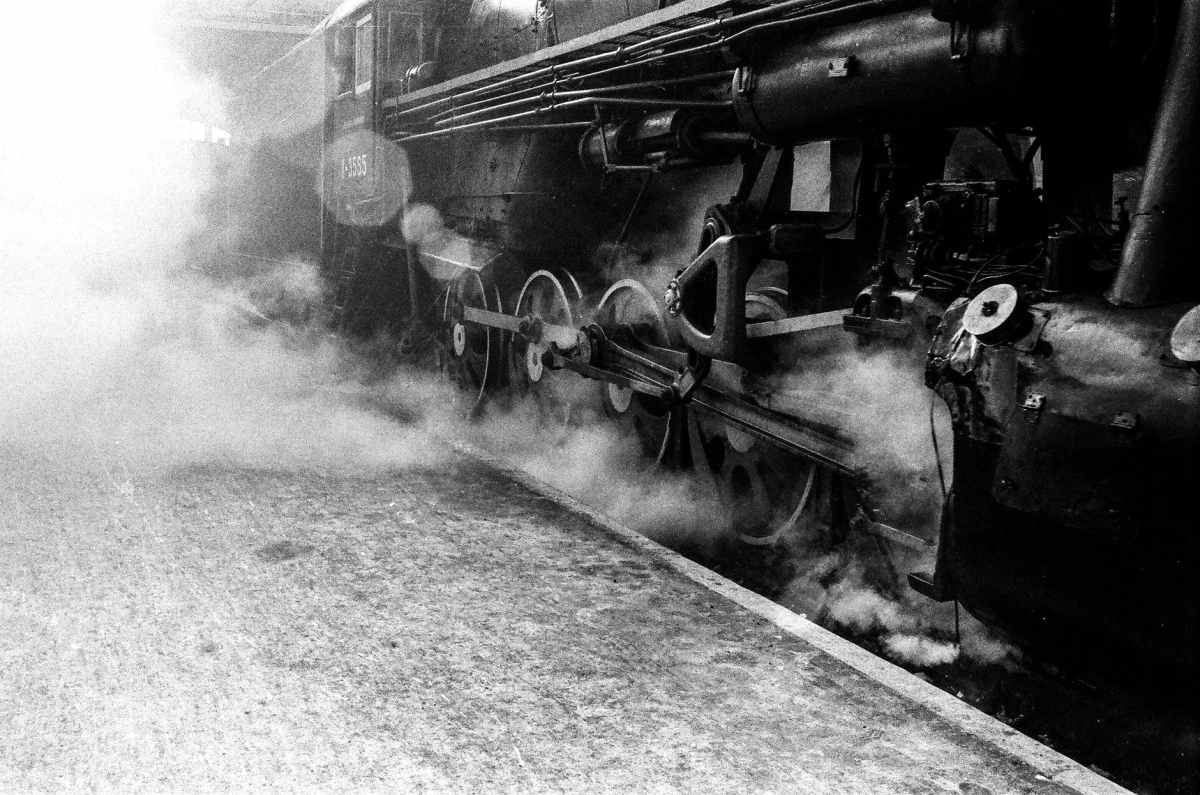
(With apologies to my brother, who might actually be a train. He works at the Strasburg Railroad, and that’s him in the front. He’s even written a book about trains and how to make your own.)

Blinders on

There are a lot of times I point out how useful it is to put on your metaphorical blinders when you’re working on a project – or especially when you’re working on multiple projects. Having a clear focus helps keep you from getting sidetracked, especially if today you’re supposed to be working on Manuscript 2, so stop thinking about 1. But, sometimes … the blinders work against you.

Lately I’ve been working toward the tail end of a couple projects. Proofreading, final manuscript preparations, that kind of thing. Generally surface-level stuff and final checks before sending something off. I’ve just finished the current step on a couple of these, and I was telling a friend that I don’t know what I’m going to do with the rest of my week, since I know I’m getting comments back from someone next week.

He told me he’s spending his week reading.

… oh. Right.

I’ve been so focused on these particular steps for these particular projects that I’ve been ignoring the stack of books to the left of my desk in my “read these next” pile. Not to mention a whole bunch of other books lined up behind them.

I have to admit, though, that this isn’t new. Once I get to the end of my to-do list, even two items at a time, there’s generally a moment of stunned silence and a feeling of “Uh … so what now?” I’ve been so focused on getting this one thing done – thank you, blinders – that, once I’ve checked it all off, I have to blink a few times before I can back up and take a look at the forest again.

So: this week, I’ll be reading. Also known as “putting words back in my brain.” Making notes in the margins and highlighting all sorts of things and writing down any new ideas and connections that occur. (But not messing with anything I’ve already handed off – nope: once you put something out there for someone else to look over, don’t even look at it again. Because you can’t go changing it now, anyway.)

Writing blinders, off. Reading blinders, on.

Tools of the trade – digital

It’s the third point of the triangle: my favorite purely-digital writing tools. Once again there’s a selection, depending on what part of the process I’m in. I don’t use all of these every single day – except maybe Microsoft Word – but they all tend to play a role in every writing project.

Microsoft Word – Yeah, I know, but first, most places want you to submit as a Word document, and second, I’m not going to talk about the typing aspect. While it’s useful, and my comfort my word processor, lately I’ve been utilizing the “Read Aloud” feature.

You can adjust the reading speed, but I keep it a little slow and jerky because I’m not really listening to get the meaning of what I’m writing. I use it to proofread, because Read Aloud won’t add extra words in if I’ve missed them, won’t skip over the extra words I’ve put there, and will pronounce whatever word I’ve written instead of the one I think I’ve written. Proofreading your own work is hard, but listening to a semi-robotic voice cover exactly what’s on the page helps.

Scrivener – I’m not as die-hard a Scrivener fan as some of my friends, but I’ve been playing around with it more since the update earlier this year. Scrivener lets you view things as notecards (a plus for me, considering my analog tool preference), move them around, and get an overview more easily than Word. You can choose how closely to zoom in on your work and when to pull back to see how it all fits together.

If you just jump in without watching the tutorial, you’ll probably be lost and think it’s pointless. It might not work for your writing style anyway even after you do watch the tutorial, but there are a lot of steps and processes built in to Scrivener that make it … Scrivener. Going through the tutorial means knowing all of the possibilities, and you might stumble across a different way of thinking about your writing.

Pro Writing Aid – A self-publishing friend of mine recommended Pro Writing Aid because it, like Scrivener, gives you a different way of looking at your work. You can try it out for free on the website with a small sample and play around with the various reports it offers. For me, Pro Writing Aid works best when I’ve got the writing as strong as I can, so it comes near the end of the process – I haven’t tried composing in the program, but just importing once it’s fairly polished.

All the reports and suggestions can be overwhelming, so it’s recommended to work on small sections at a time, anyway. It helps give an overview of your writing weaknesses and crutches, beyond “just” grammar and usage.

Dragon (formerly Dragon Naturally Speaking) – Whenever I mention this one, I get hit with “Oh, I could never dictate my writing!” I mean, not with that attitude …

There’s a learning curve. Any new process or technology has a learning curve. I first downloaded Dragon in December 2020 to give my hands a break because, for some reason, I decided to completely NaNoWriMo (50,000 words) in two days. Ow. So I looked into various dictation tools I already owned, and then went with Dragon because it’s not an add-on – it’s all they do.

And yes, you start off slow and feeling kind of silly. Yes, you have to train yourself to add in punctuation. But again, Dragon offers something that typing doesn’t, the way different programs have their own affordances and limitations. I like being able to dictate when my hands feel like they need a break, and I’ve put enough time into it that I can switch back and forth, depending on how I want to write that way. You absolutely can dictate your writing, if you decide it’s worth the time and effort.

What other digital writing tools do you use? Is there anything else I should try?

Tools of the trade: analog

There are a lot of steps to the writing process, and I’ve used a lot of tools over the years. (Fun fact: I wrote my first “novel” when I was 15. It ended up being about 25,000 words, all written by hand, using a mechanical pencil and college-ruled notebook paper.) Some tools come, and some go, but I’ve found that a number of hands-on pieces still work really well for me, especially in the planning stage.

Pens and markers and highlighters, oh my: I like thick, bold lines, so I’m apt to reach for Sharpies or markers. My husband writes with the finest pens he can find. On the plus side, we’re not going to steal each other’s writing utensils.

It’s kind of like what they say about kitchen knives: the best one is the one you’re going to use. The one that feels good in your hand. And, in the case of writing, the one that leaves the sort of mark you want it to leave. (Leaving marks with kitchen knives is a different story.)

I’m also all about colors. When I’m reading or taking notes, I’ll have at least two on hand: one for the important things, and one for the stuff I want to stand out as even more important. I know this about myself, so in the Before Times when writing in coffee shops was common, I always made sure I had multiple pens in my bag before going out to one.

I mentioned the Frixion brand in my other post, and they’re not just for Rocketbook – they work on normal paper, too, and erase with the heat from the friction of rubbing at the page with the rubberized “eraser.” I use their pens, markers, and highlighters for basically everything, because then I get my nice bold lines but also the ease of being able to fix any mistakes. (Note that disappearing in heat means don’t leave any important documents in your hot car, and that you shouldn’t sign important documents with them. Every tool has its intended purpose.)

Index cards and sticky notes: I like being able to capture ideas or due dates in bite-sized, discrete chunks. I’ve got a number of reminders posted around my desk on bulletin boards or just stuck there to keep me on top of the various projects I’m working on (because there are always overlapping timelines). These are, of course, color-coded, because I’m me.

It feels easier for me to have not only the condensed space of this smaller sheet, but also the ability to be able to move them around or toss them out if necessary. There’s something about typing an outline or initial ideas on a computer that feels too polished and final. In the initial brainstorming stages, I want to be able to write things down, cross things out, and shift them into new groups to discover better connections. Being able to physically move sticky notes around helps me do that.

I will frequently do sort of a quick study on plain white index cards or just one color of sticky notes and then, once I’m starting to see the shape of the project, group them and write them out again on different colors to trace the themes and ideas. I like the visual aspects of being able to pull back and see an entire project laid out like that, and then being able to focus today’s writing on just one of the points.

The Mover Family: the idea here combines sticky notes and magnets. I backed their first kickstarter campaign to get a number of sticky notes in two different colors and a couple of the magnet boards to place around my workspace. It’s like having eternally restickable sticky notes (and the new version turns each magnet from a finite amount of sticky notes that need to be replaced into mini whiteboards).

I like these because they’re meant to be moved and displayed, and the new whiteboards will cut down on the number of sticky notes I use. (Yeah, I know, there are apps and things that will look like sticky notes and index cards, but sometimes I want the feel of a pen in my hand and something in my own handwriting.)

What analog writing tools do you like to use?

Tools of the trade: hybrids

I think it’s a fairly common lament these days: I like writing by hand, but. But then I have to type it up. But then I forget it or lose it. But it’s just not feasible to share.

Personally I like writing by hand. I know it makes me think differently, and using different pens and colors helps me sort through my thoughts and get organizes. I also use two different tools that merge the handwritten and the digital. (I’m not sponsored by either of them. Yet. I just like good tools that make the writing process easier.)

First, there’s Livescribe. It’s a pen-and-paper system that pairs with an app via Bluetooth to digitize your handwritten notes and also to transcribe them. Let’s break it down a little.

  • The pen: the one I have is older, so it’s got a thicker barrel than most pens. You replace the ink cartridge when it runs out – I’ve used both black and blue. This is what syncs with your phone, so you don’t want to misplace it. It feels like writing with a normal pen because it basically is a normal pen, at least where the ink meets the paper.
  • The paper: you need to use Livescribe dot paper with the pen, or else it doesn’t work. There are all kinds of notebooks and sticky notes, so you can find the style that works best for you. The paper isn’t blinding white – it can take a little bit to get used to the gray – but it feels like normal paper. You have to activate each notebook before you use it, and archive the old ones, so the pen doesn’t get confused and try to put your writing from page 1 in the new notebook on top of page 1 from the old one.
  • Pros and cons: Livescribe will transcribe your handwriting into text at the flick of a finger, and it’s fairly accurate. It’s at least faster for me to transcribe, copy into a document, and fix a few things than to have to type up my entire pages of notes. The ink only comes through as black, though, no matter which cartridge you use. This isn’t for you if you want your notes in color or if you need to routinely sketch or doodle for your notes. You will also fill up the notebooks and need to get more, but it took me over a year to complete my big spiral-bound one – and, for once, I did actually use every page.

My other go-to is Rocketbook. There’s a wider selection of pens (markers, and highlighters), but the “paper” doesn’t actually feel like paper. It uses your phone’s camera to digitize what you put on the page.

  • The pens: Rocketbook needs to be used with any Frixion-brand products. There’s a wide variety writing implements in this case, and colors? Use all the colors. As long as it’s Frixion, you can use it, from extra fine line pens to nice thick markers.
  • The paper: Rocketbook notebooks are reusable, so they don’t have nearly as many pages as Livescribe notebooks. My current favorite – the flip, with the binding at the top – has 16 sheets. Each sheet is lined on one side and has a dot grid on the other. The paper is thicker, and shinier, which is why you can erase what you’ve written after you’ve scanned it in. The newer versions erase with water. Some older notebooks, with more paper-like paper, erased using heat (you’d stick it in the microwave) so double-check which kind you have and don’t microwave other notebooks.
  • Pros and cons: Rocketbook turns your page into an image or a PDF. There’s no transcription, but it shows you exactly what you wrote or drew, in the proper colors. You can also set up the symbols at the bottom of the page to automatically upload your files into specific places – I’ve got mine going to different files on my Google drive, depending on what project it’s for. You can scan multiple pages into a single document, or jump around from page to page, depending on inspiration.

Both of these systems mean I can pull up digitized versions of notes in my phone in case I’m out somewhere and need to look something up. Livescribe means I have the paper cop on hand in case I ever need it, but Rocketbook means being able to erase and reuse without having to buy more notebooks. Livescribe means just buying ink refills, but Rocketbook can mean either buying pen refills or another set of pens. Livescribe transcribes, but Rocketbook saves your ideas in full color. I use each of them for different purposes, depending on what part of the process I’m in.

Have you used either Livescribe or Rocketbook? Which one’s your favorite? Is there another brand you think I should try?

“You write so fast!”

It’s something I’ve heard time and time again, most recently just yesterday: “Wow, Rebecca, you write so fast!” I’m never really sure how to respond to it. Depending on the situation – say, a word sprint, where a group of people write for 15 minutes and then share their word count at the end – nothing seems necessary. But, even then, I want to say more than a shrug and a nod.

First, I’m not always sure how people judge it. Yes, there are times in word sprints I write more than the other people. But that’s just one burst of a lot of words in 15 minutes. It’s not sustainable. You can’t multiply that word count by eight hours and say I’m going to finish a book in three work days, for example. In yesterday’s specific case, I was at a scene in a novel where I knew what was happening. I’d built up to it, and I had all the details and information right there, within reach.

But I’ve also had people say “Wow, you write fast!” when I mention how much I did over the course of an entire year. So is that “Wow, you wrote a lot in a year”? Or “Wow, you’ve been able to schedule things so you had a lot of time to write that year”?

I lean toward the second. It’s easier to write more when you have more time to write. Refresh yourself on my writing schedule. The most important thing is that I have one. I block out that time. Whether it means 15 minutes of amazing word counts, or a long slog, I have and make that time. And it adds up. Even 15 minutes at a time, stolen throughout the day, adds up, when it’s specifically dedicated to writing.

There’s also the fact that the actual typing of words is only a small part of writing. There’s reading, and research, and outlining, and all of this prep work that happens before and then during the weeks I block out for the actual typing of a manuscript. Sometimes what you don’t see is the abandoned draft from a while ago that’s helped me get to the point of writing it now. All the steps that take place to help set me up for sitting down at my laptop and getting the words out.

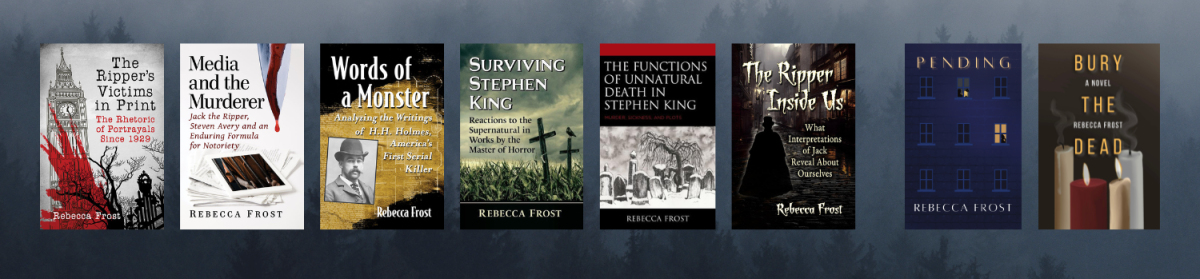
I could tell you how many days it took me to turn out a draft of a book, from typing the first word to finishing the conclusion, but that’s not a very accurate picture of things. Take Surviving Stephen King – the initial draft went very quickly. I was writing it last spring, though, which means I’d been reading about Stephen King as an academic and not just a fan for six years. I’d had years of presenting at conferences and not just reading other scholars’ work, but engaging with them in conversation. I didn’t just sit down one day last April and idly think “Let’s write about Stephen King.”

I had more than one notebook with ideas. I had notes already typed up and organized so I could easily search them. I’d made not just an outline, but an outline expanded to include quotes from all my readings. Readings I’d done over the course of years and then gathered, typed up, and organized over a span of dedicated weeks. I knew what each chapter had to address and the overall point I was trying to make.

That’s when the fast writing happens: when I’ve done all the groundwork to pave the way and all the signposts are in place. When I don’t have to stop and wonder about what comes next. When I’ve got my poster board with the color-coded sticky notes and the outline so I don’t have to go searching for something because it’s all right there, laid out neatly.

When I’ve already put in so much work that’s part of writing, but maybe doesn’t look like writing, so that the actual “typing the words into the document” process can happen apparently at speed.

Plus, come on … you have no idea how long it took me to write this. How many breaks I took. You just see something I’ve written, and maybe read all the way to the end of it, and possibly find some enlightenment. So maybe take a moment to remind yourself that there’s no time – however long it takes you, the important thing (the scary thing) is to get something written, and to get it out there to be read.

Let’s not oversimplify this

The other day I saw a conversation about revising and editing where someone responded with “It’s like a garden – you have to prune.” I’m not a gardener, so I wouldn’t have come up with that metaphor on my own, but revision should be a lot more than pruning. Sure, maybe you have to get something under a specific word count, but I’m pretty sure gardeners have more tools than shears.

I try to let anything I’ve drafted sit for a while before I come back to it so I can read it, as much as possible, as a reader instead of as the writer. I know what I meant to say, and I did my best on the first pass, but revision is where I take a step back and see if I actually said it.

And also whether I said it in a way that flows and makes sense.

If you recall my editing stamps, only one of them is “delete.” There are seven more. Plus I keep a pen at hand because, as much as I use the stamps, they don’t quite cover it all.

One of the very first things I look for when I pick a draft back up is whether it makes sense. Is my main argument there, and is it clear? Do the points actually flow from one to the next? Have I actually come out and made my point or do I leave it to be interpreted?

A lot of this is adding words instead of deleting them. Making sure my actual ideas are on the page and don’t get lost in the transition from my nebulous thoughts to concrete words. This can mean slowing down and expanding ideas, as well as adding in transitions or swapping parts of the writing around and then adding transitions.

Even during this first pass, I don’t worry so much about the word count. I’m still trying to make sure that the skeletal structure is solid. Am I making all the necessary points to support my argument? Did I forget an example? Do I need to make sure that, after giving one, I come back and connect it to the main point again?

The important thing at this point centers around reading it as a stranger, at least as much as I can. If I don’t have access to my own innermost thoughts, my past publications, and my internal logic, does it still make sense? Do I provide enough information so that readers can at least see where I’m coming from, if not agree completely?

In a rush, during one of the bad writing days, did I happen to forget to actually mention my point?

Once I’ve gone through, concentrating on organization and flow, I try to let it sit again. There isn’t always time – deadlines loom – but distance is good. Fresh eyes also help you come back to it without thinking that all of it sucks. (You definitely want to be able to see any part that might, in fact, suck, so you can make it better before anyone else sees it, but chances are there are good things, and you want to be sure you don’t accidentally mess them up in the name of revision.)

After I’ve got the solid framework, with everything in order and explained, the pruning can begin. Did I add in too many examples? Are there phrases like “the way in which” that can be axed for a simpler “how”? Do my favorite words crop up too many times?

All of these, though, are more surface-level changes, and that’s why they need to wait. There’s no point in making a paragraph pretty until it’s in the right spot and the proper connections can be made – or until I know it’s staying because yes, it supports the overall argument. Line edits happen after the final chops have been administered, but a lot of work comes before the decision to cut.

I also find it easier to delete after I’ve put in enough work that I don’t want to leave something that doesn’t fit just because I think it sounds cool. It also helps to have a printed copy of the initial draft, both for ease of reading and because, even if I delete it on my screen, it still exists somewhere in case I decide to use it again. On a page covered in red, sure, but it’s there.

If I were a gardener, I’d probably say that revision and editing means filling in the thin spaces in the hedge, and balancing the density of flowers, and making sure the colors coordinate in ways that are pleasing to the eye. There’s probably something to be said about fertilizing and knowing which plants need what kind of care, and how doing something for this one flower would actually kill that one over there. Knowing growing seasons and how to tell a dead branch from a resting one.

I’m not a gardener, but I do know there’s more to it – and more to revising and editing – than pruning.

Too many things left on this to-do list

When I get close to completing one of the tasks on my writing/editing to-do list, I tend to slow down. (Procrastination by blog post writing, anyone?) I can focus on one task at a time just fine, but when it gets closer to checking one off, my eyes drop down and I see everything else I have to do.

Yikes.

It doesn’t seem to matter how big or small each task is. If it’s an item on the list, it looms large. And there are always so many left to do. Even when a deadline is months away, the number of lines can make it seem like I don’t have enough time.

So … what’s the solution? Aside from stopping five pages short of this round of editing to write a blog post, that is. Which probably tells you that I don’t really have a solution.

I’m a fan of having notes in front of me to remind me what to focus on. Some of them are on a bulletin board. Others are on a dry erase board. Still more are on sticky notes. (I have a lot of notes.) They get moved around depending on how important they are, with the most urgent peering at me from around my laptop screen.

The full to-do list hides in a drawer, thanks. I don’t need to stare at all of those lines and tasks every day.

I’m going to try limiting my sightline tasks to just two: the one I’m about to finish, and the next one in line. That’s it. Just two tasks. If you can travel miles in the dark by your headlights, you can write a book two tasks at a time.

It’s important to know that you have (so much) more to do, but it’s just as important to keep track of the fact that you are, actually, making progress. Items are being ticked off the list. You’re not at the last item (or the deadline) just yet, but you’re getting closer. Sure, there’s a long way to go, but look at how far you’ve come.

I’ve got my two tasks right there, staring at me, so we’ll see how this works. I’ve got five pages left to edit on this round, and it should be quick, if I can manage to focus on them and not the five pages left of my to-do list.

Butt in chair, fingers on keyboard, and blinders on. Let’s do this.

On good days, write. On bad days, write.

I’m not sure who originally said it or where I first saw it – Joanne Harris tweeted it in 2017 – but it’s been on my mind this week. And it seems to sound at least a little better than “You’re going to be writing for the rest of your life.” That’s more like a prison sentence.

I’ve been thinking about it based more on how much of a process writing is and how long the timeline stretches. For a single piece, you’re conceptualizing, drafting, rewriting, submitting, revising and resubmitting, getting rejected, getting to the next step for more revising and resubmitting, and – eventually, if you’re lucky – proofing something and seeing it in print. It takes a long time to get something from inside your head to in front of other people’s eyeballs.

When I was in grad school, they cautioned us about it in another way: if you’re tenure track, go for many articles instead of one book. If the book falls through (and they do, for all kinds of reasons, during different steps of the process), then you have nothing. If a single article stalls out, at least you have others.

It’s one of the reasons to always have multiple projects in process, all at different stages. Some of those stages are a bunch of waiting. Others are quick, possibly frenzied, work. You can’t always control when you’ll hit each step – when you get the proofs back and when they’re due, for example – so you need to be flexible. When you’re juggling, know which balls are rubber and which are glass, so you know which ones can be dropped without shattering.

But it’s also because, when you get a rejection, you didn’t put all your eggs (or breakable glass balls) in one basket. There’s something else to fall back on for the days when you can’t bring yourself to wade through reviewers’ comments, and a way to boost yourself up again to get to the point where you can.

(Disclaimer: yes, okay, having multiple projects going on at once also increases your chances of getting multiple rejections at once. Say, two in one day, even. But you can handle rejection, and the way you think about rejection, and you won’t ever get to acceptance, even with minor revisions, if you don’t keep submitting.)

But here’s the other thing: after you get good news, you keep writing. Even then.

Part of it is the previously-mentioned precarious nature of publishing. Until your writing is actually in print, there are still a bunch of hurdles and stumbling blocks. You don’t get to permanently hang up your writer’s hat once you get that acceptance email. There’s always more work to do prior to publication, for one. And you probably want to get published again, too.

So on bad days – rejection days – you write. And on good days 0\- acceptance days – you write, too. Maybe not on the project that got the rejection or the acceptance, but … you write. Having multiple projects means you can make sure it’s useful writing, especially when you don’t want to deal with reviewers’ comments or confront why, exactly, your piece got rejected. And on good days, you can take that energy and channel it into another project because you’re not done yet.

Writers write, period.

On good days, write. On bad days, write.

Whether you drink vodka or champagne instead of coffee as you do is up to you.